
What is Raya and how does it work? Discover the best AI visualization tool for designers
Raya is the simplest AI tool built for designers, by designers. Creating architectural visualizations the traditional way is often a tedious process that requires powerful hardware and many hours of waiting for a finished render. Our innovative platform solves this problem by helping you create and edit AI visualizations at every step, cutting the work time down to just a few dozen seconds. Thanks to this, we can focus on design and instantly deliver stunning, photorealistic concepts to clients.

Contents
What is Raya?
Raya is an AI platformthat combines several features useful in everyday design work - from generating interior and architecture visualizations, through editing existing photos, to virtual home staging and creating short animations. Regardless of whether you start with a hand-drawn sketch, a photo of an empty room slated for renovation, or a simple view from a 3D program, Raya lets you transform such material in a matter of seconds into a photorealistic visualization ready to show the client. It's a solution that works especially well at the early concept stage. It offers the ability to instantly test different variants of colors and materials, which greatly simplifies communication with the investor without having to wait for classic, time-consuming renders.
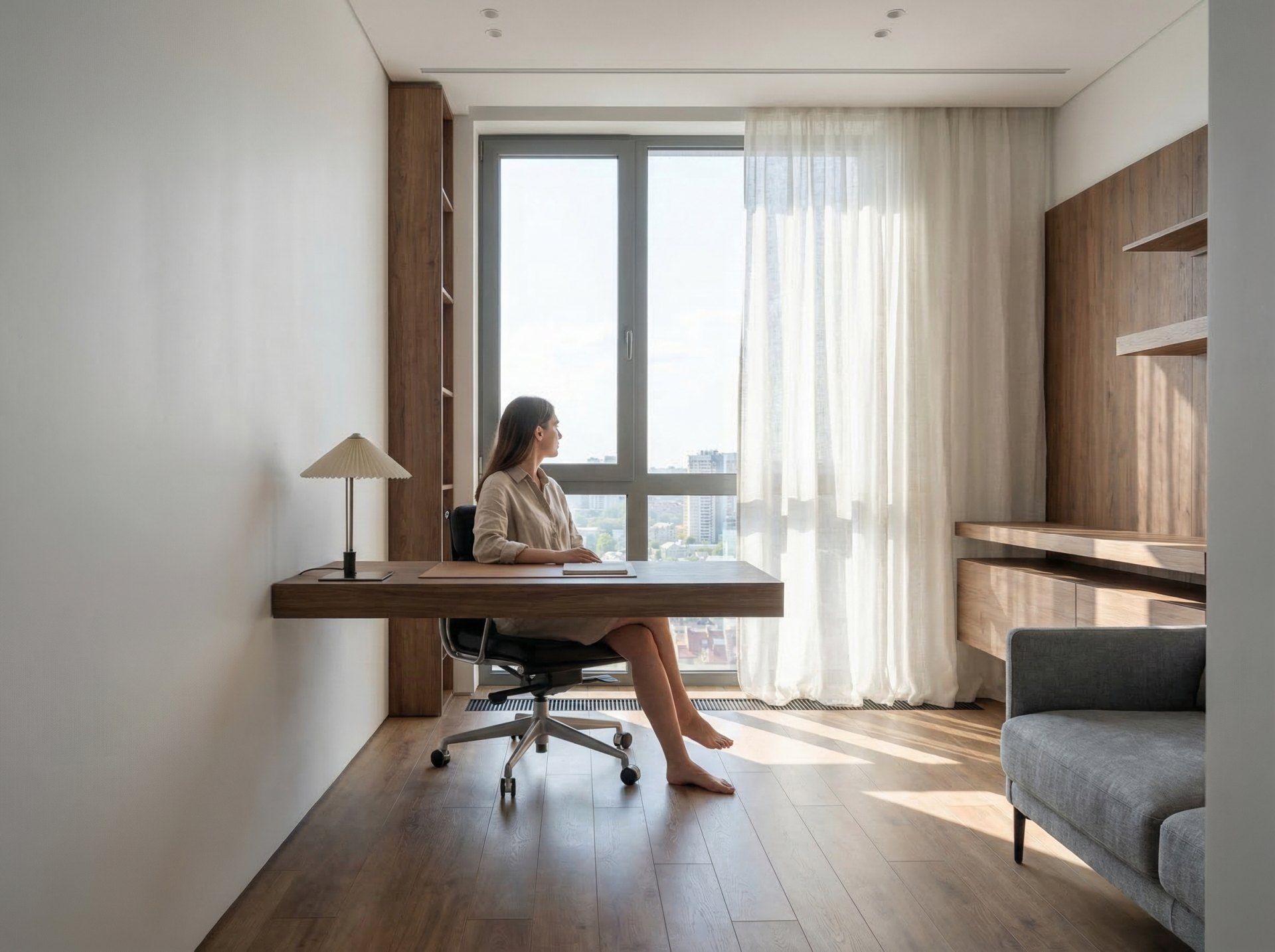
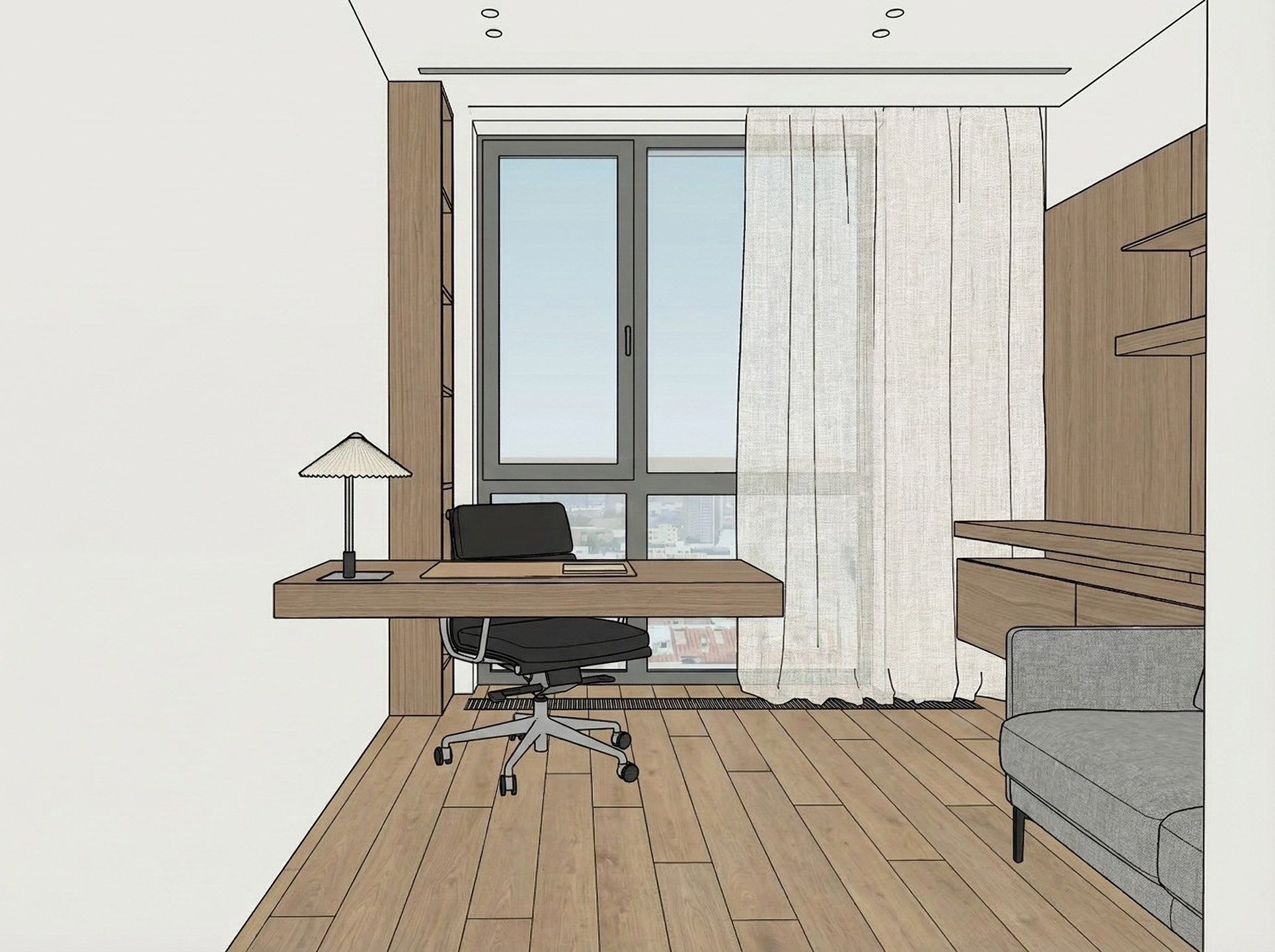 BeforeAfter
How Raya works - step by step
Wondering what working with Raya looks like in practice? The whole process runs directly in the browser, so there's no need to download any software or invest in a powerful workstation. Just log into your account and go through a few simple steps.
Step 1: Uploading a base for the project
The starting point is a photo or file in a popular format - JPG, PNG or TIF, up to 10 MB. It can be a hand-drawn sketch scanned with a phone or a photo of an empty apartment before renovation. Raya works best, however, when the basis for the generated visualization is a view from a program with textures applied. It works very well with programs such as SketchUp, pCon Planner, Revit, Rhino, ArchiCAD, 3ds Max, or Blender.
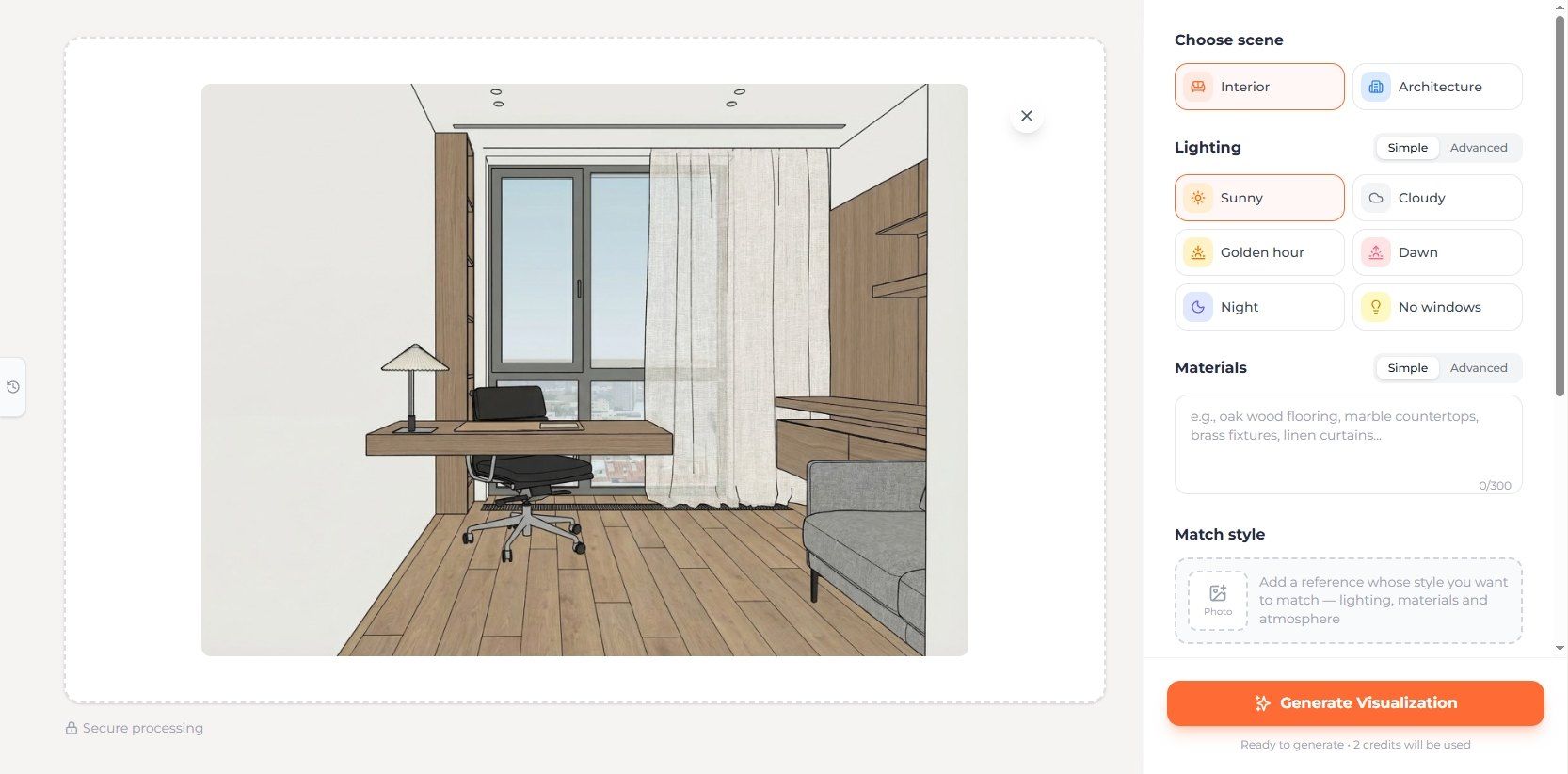
Step 2: Setting parameters and materials
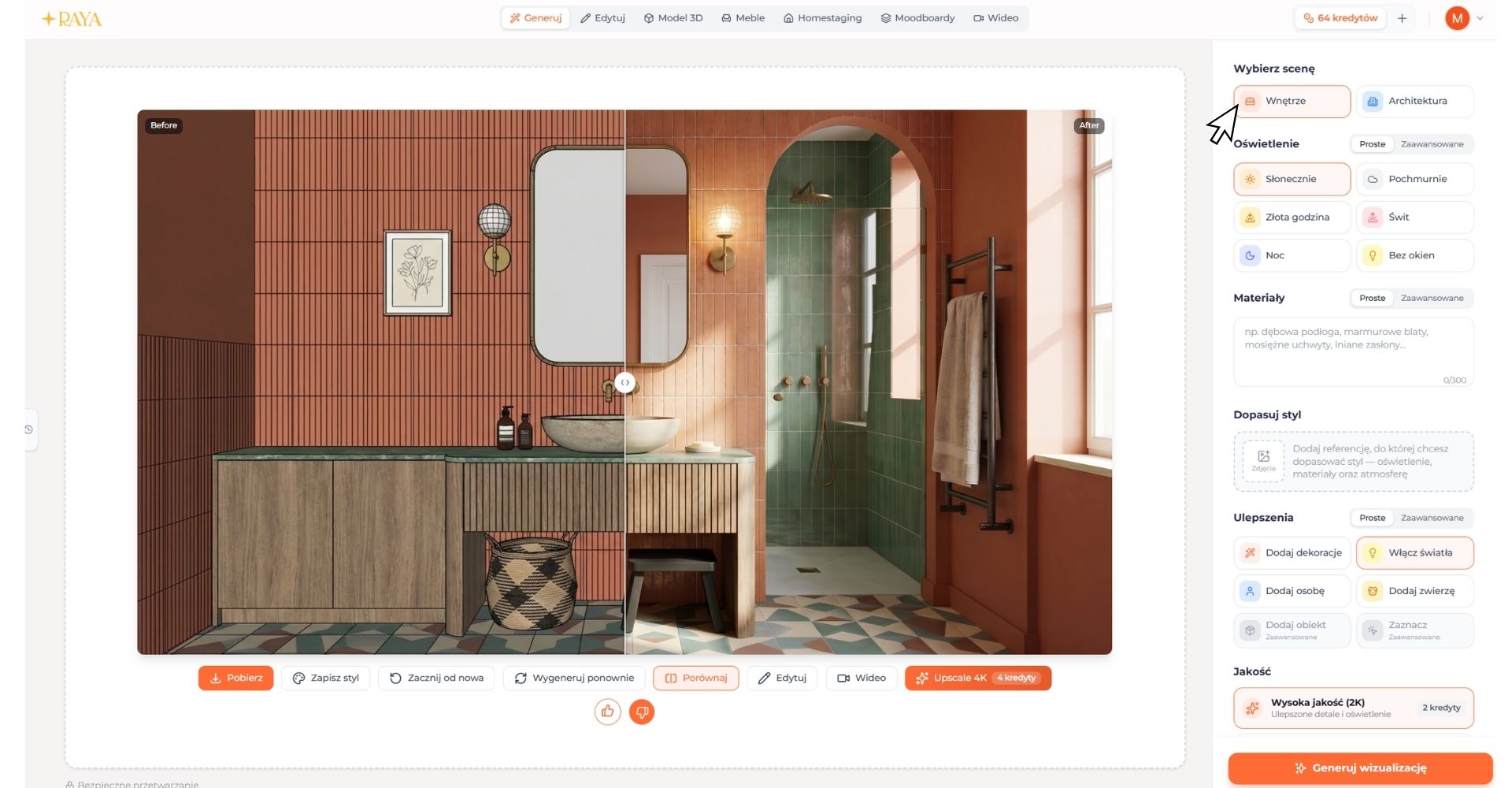
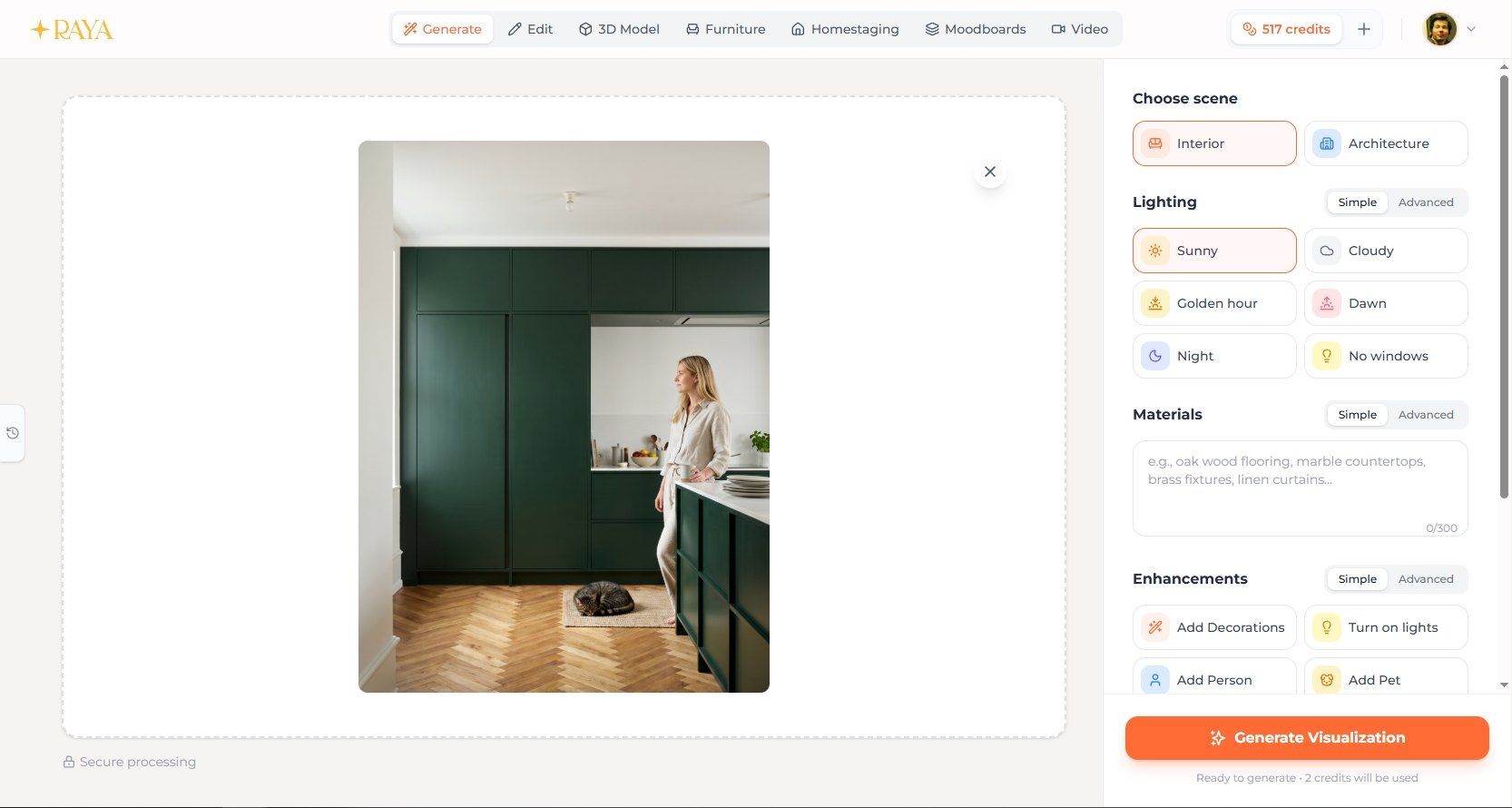
In the side menu, you choose the type of scene - interior or exterior architecture - and the lighting: sunny day, cloudy sky, golden hour, dawn, night, or a windowless scene. You describe the interior style in a text field, entering, for example, oak flooring, marble countertops, or linen curtains. You can also add decorations, artificial light, human silhouettes, and even animals. No prompt writing required - just controls and a selection list.
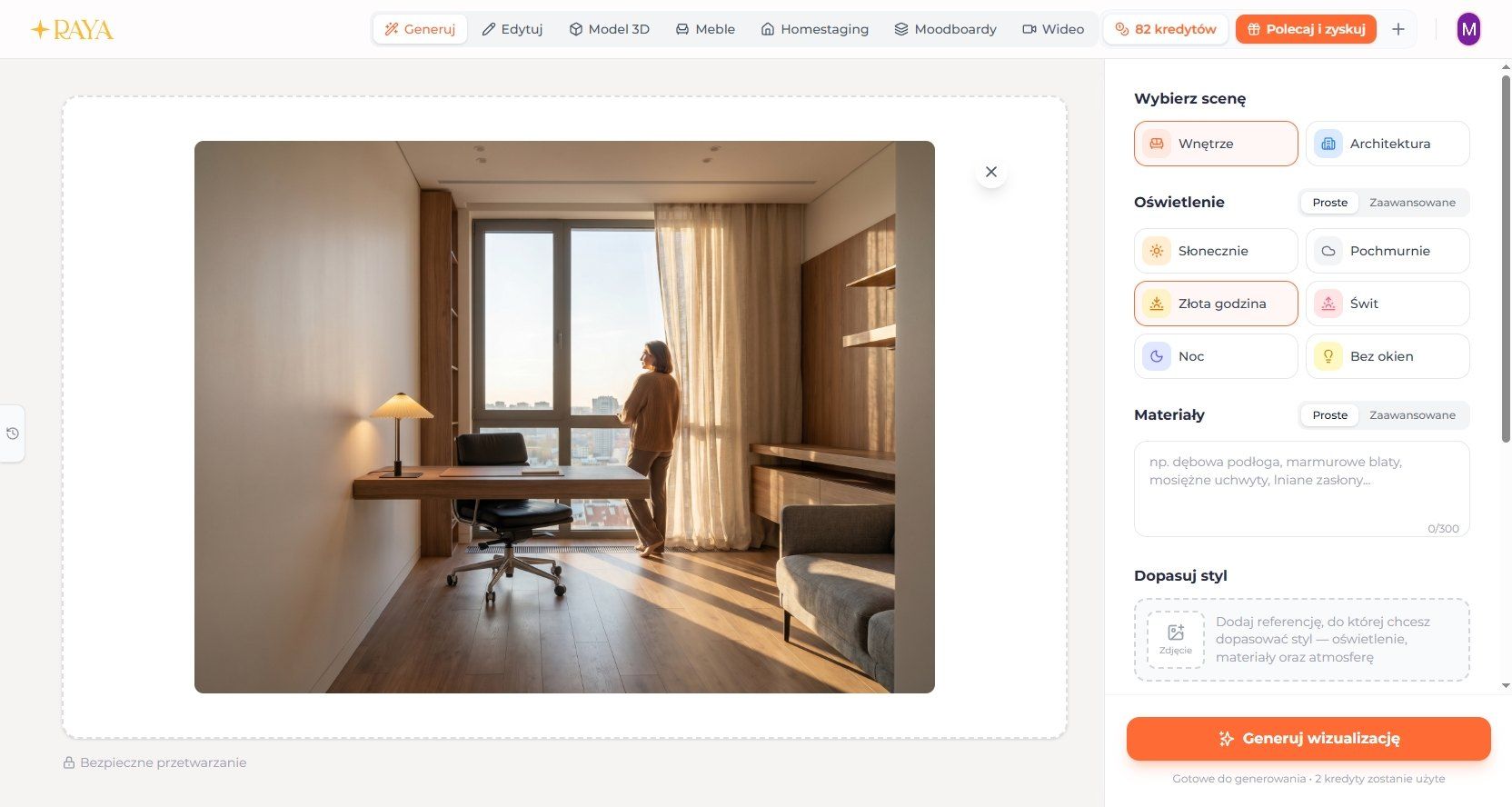
Step 3: Instant visualization generation
Before generating, you choose the image quality - 2K or 4K. The system analyzes the geometry of the input image, recognizes the space, and applies a design layer to it. A 2K render usually appears on screen in 20-40 seconds, a 4K render takes 1-2 minutes - in SketchUp or 3ds Max, this would take much longer.
Step 4: Free editing and fine-tuning details
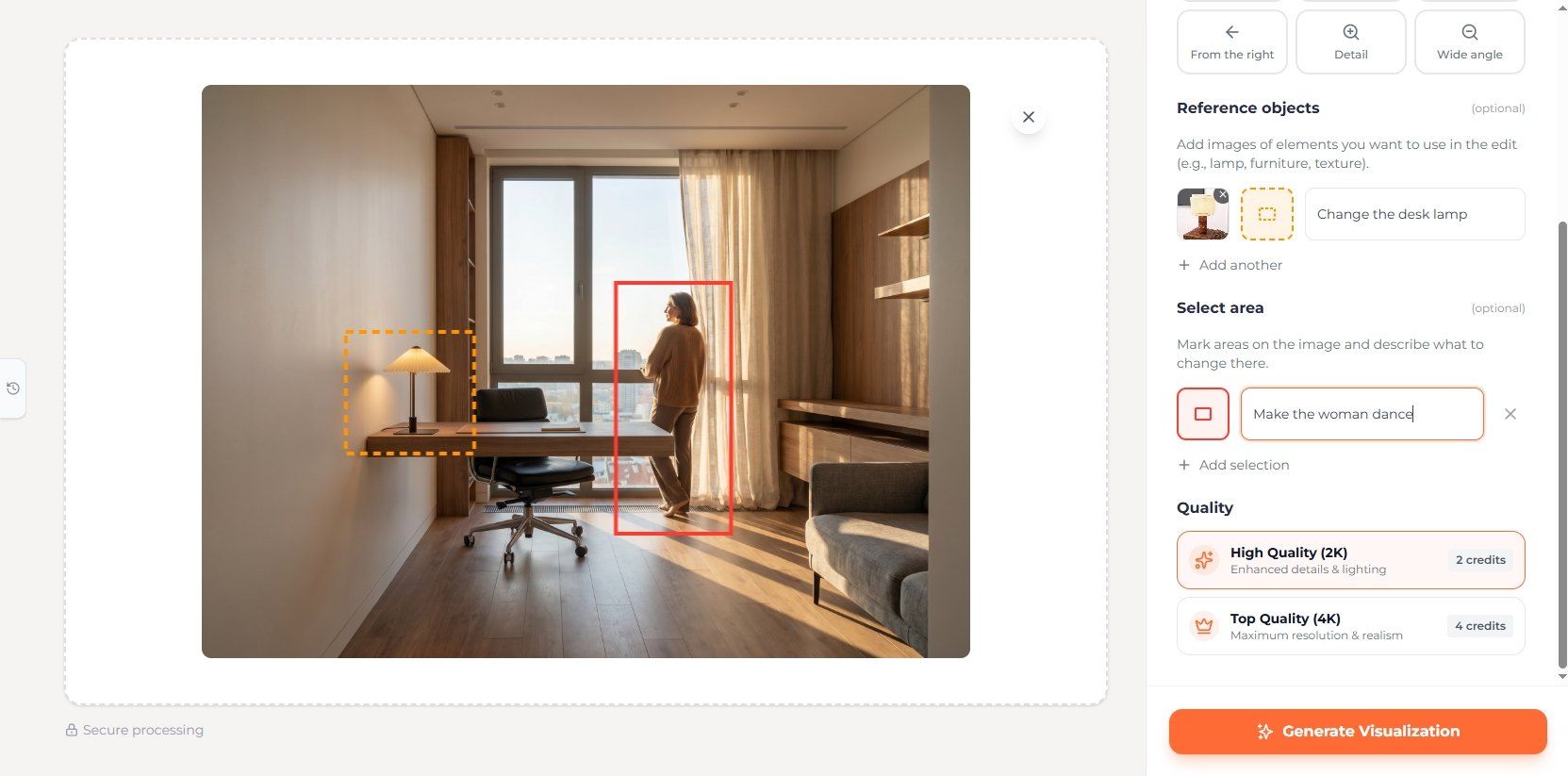
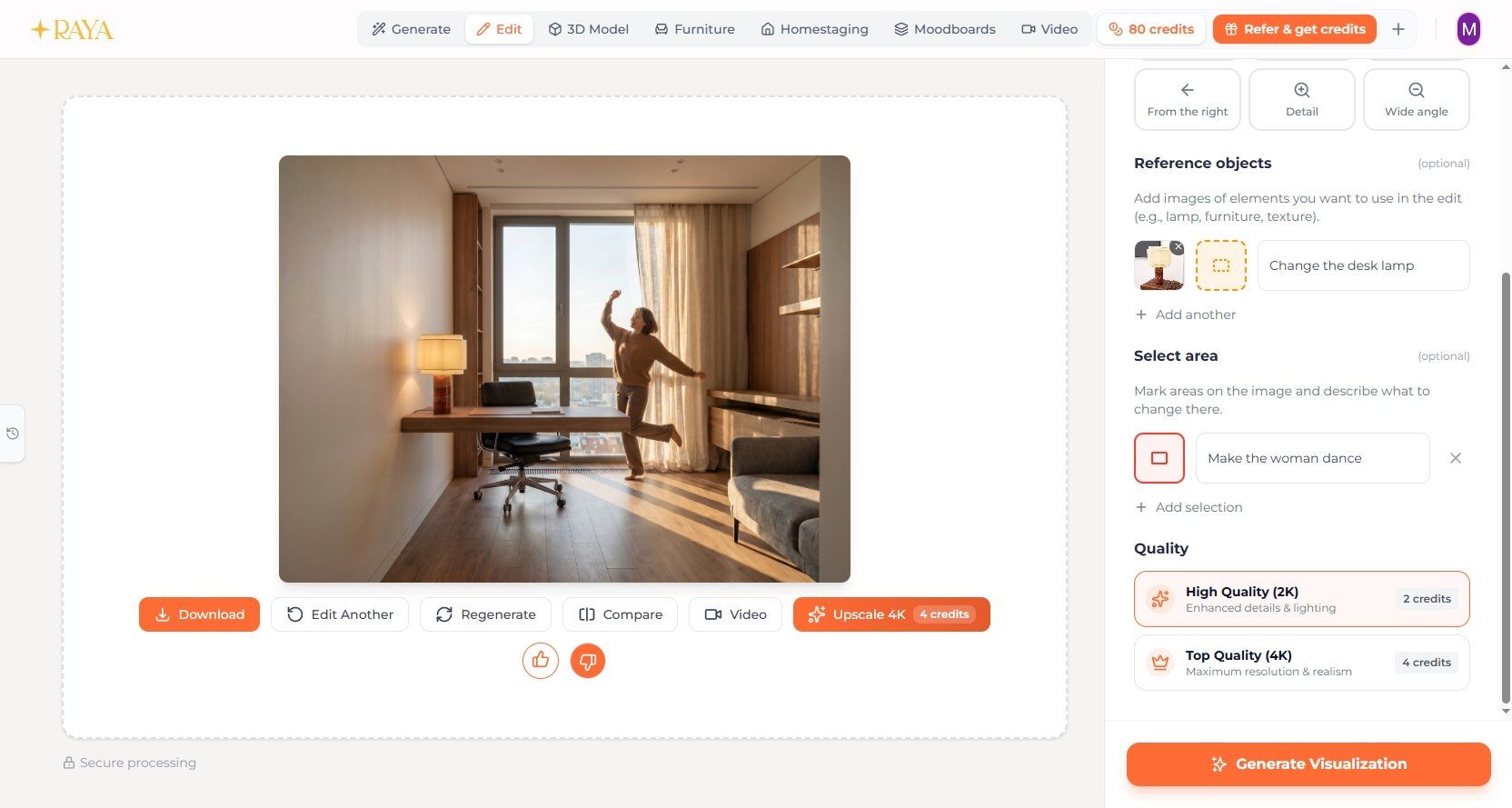
What if the first render isn't quite perfect yet? No worries - a finished render can still be improved. You select the chosen area, add a short description, and indicate what you want to change - swap a piece of furniture for a dark green velvet armchair, change the wall color, replace the view outside the window, or add decorations on the table. The rest of the room stays unchanged.
Main platform features
Raya is more than a standard render generator - it's a set of tools, each running on the same credits and addressing a different need in everyday design work.
Generating visualizations is the starting point - a viewport or 3D sketch goes in, a photorealistic visualization of an interior or architectural form comes out. A strong point of the tool is its very intuitive editing of finished images. Just select any part of the visualization to quickly swap a specific piece of furniture for another, change the wall color, test a new floor, or try a different lighting variant - without affecting the rest of the generated room.
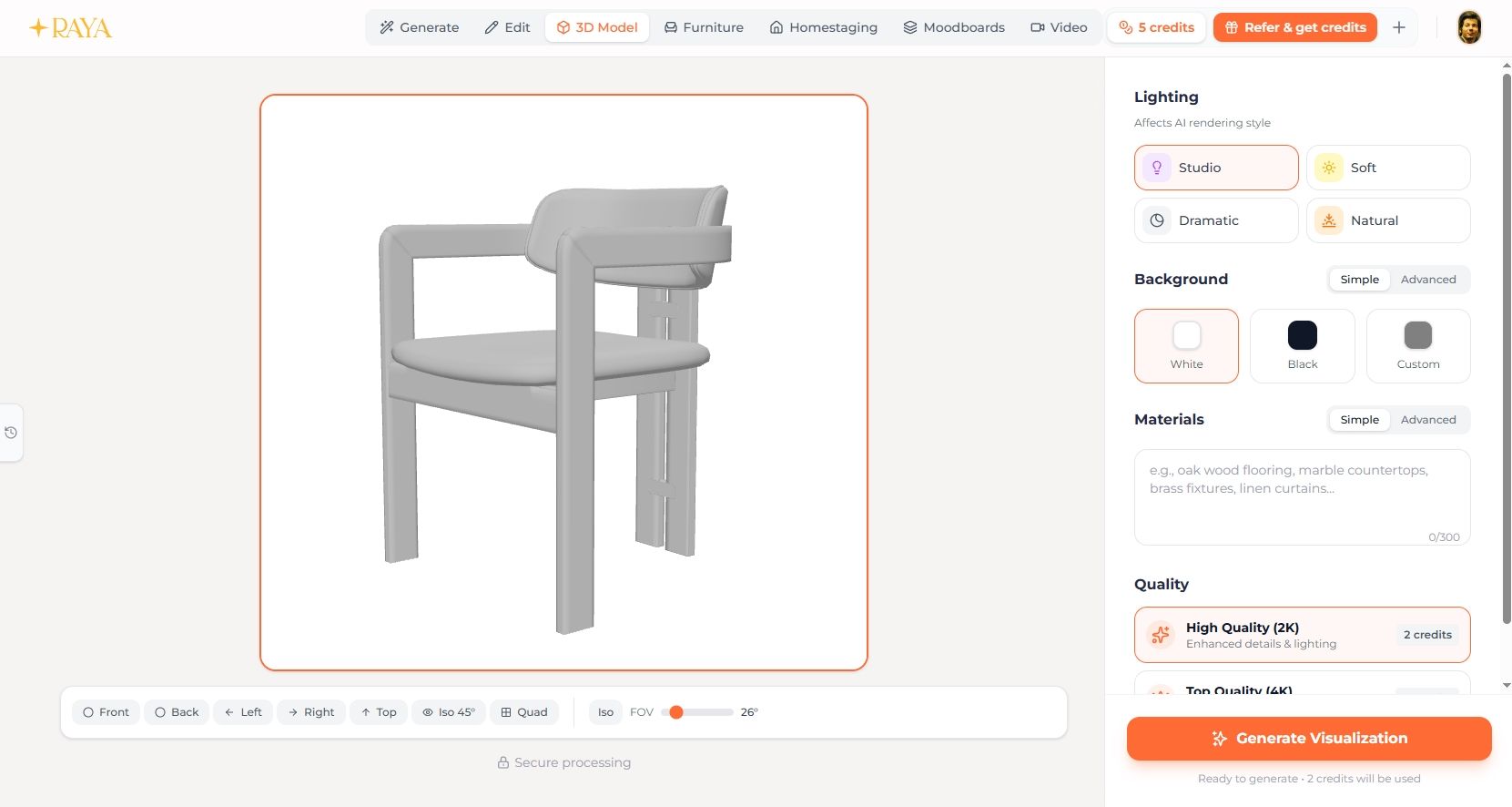
A separate feature is the 3D Model tool - you upload a model (up to 50 MB), set the frame (front, back, sides, top, isometric view, or the so-called quad, i.e. four shots at once), and render it like a professional product photo. It's especially useful for presenting individual forms or fixtures.
Furniture is in turn a tool for manufacturers and distributors - you upload up to 4 product photos and receive professional product photography with the right background, lighting, and material rendering. No photo shoot, no studio.
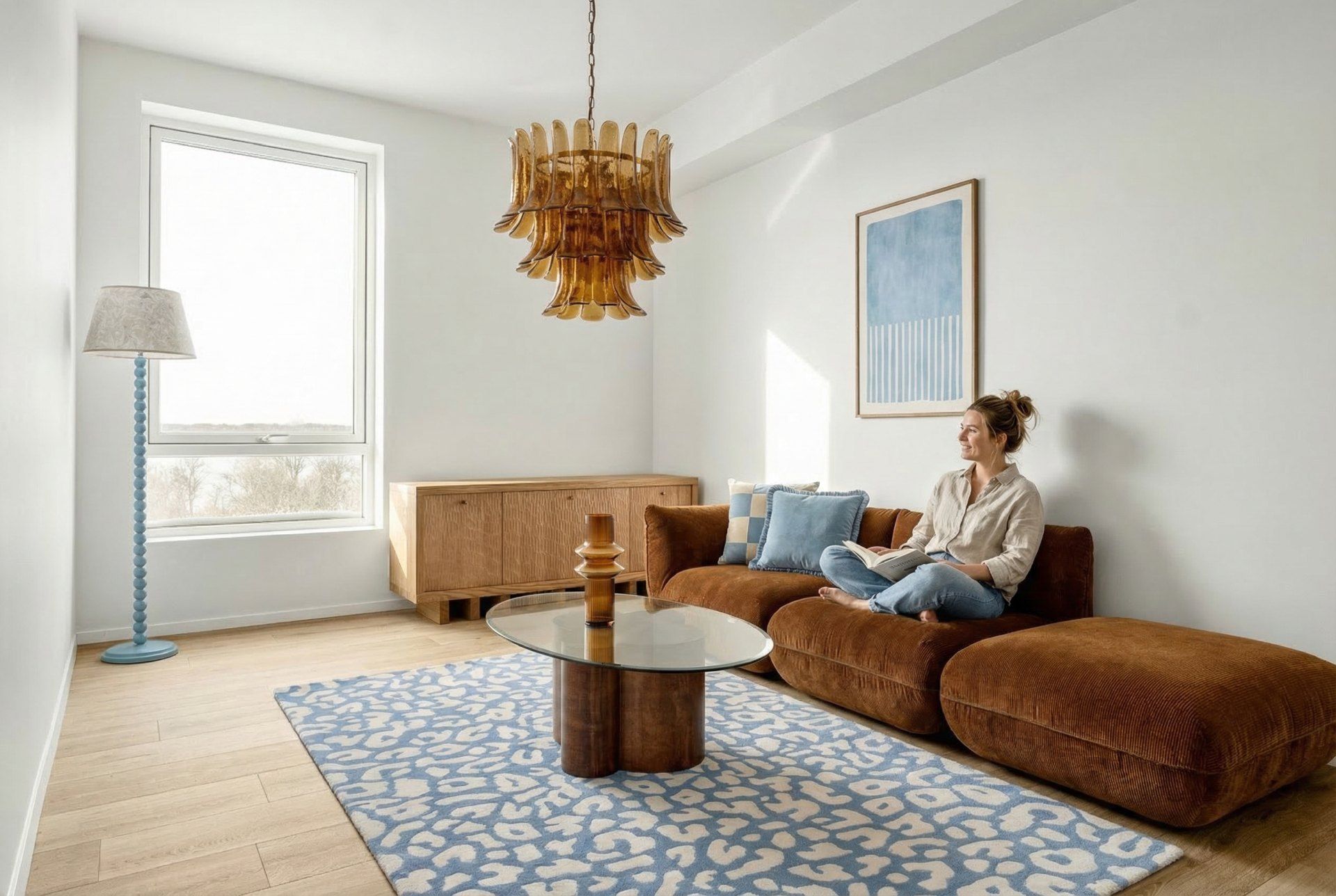
Raya also offers virtual home staging, which can furnish empty spaces in photos, automatically selecting matching furniture and accessories tailored to the interior's perspective. At the stage of preparing a listing for sale or presenting an empty unit, this is a huge time saver.
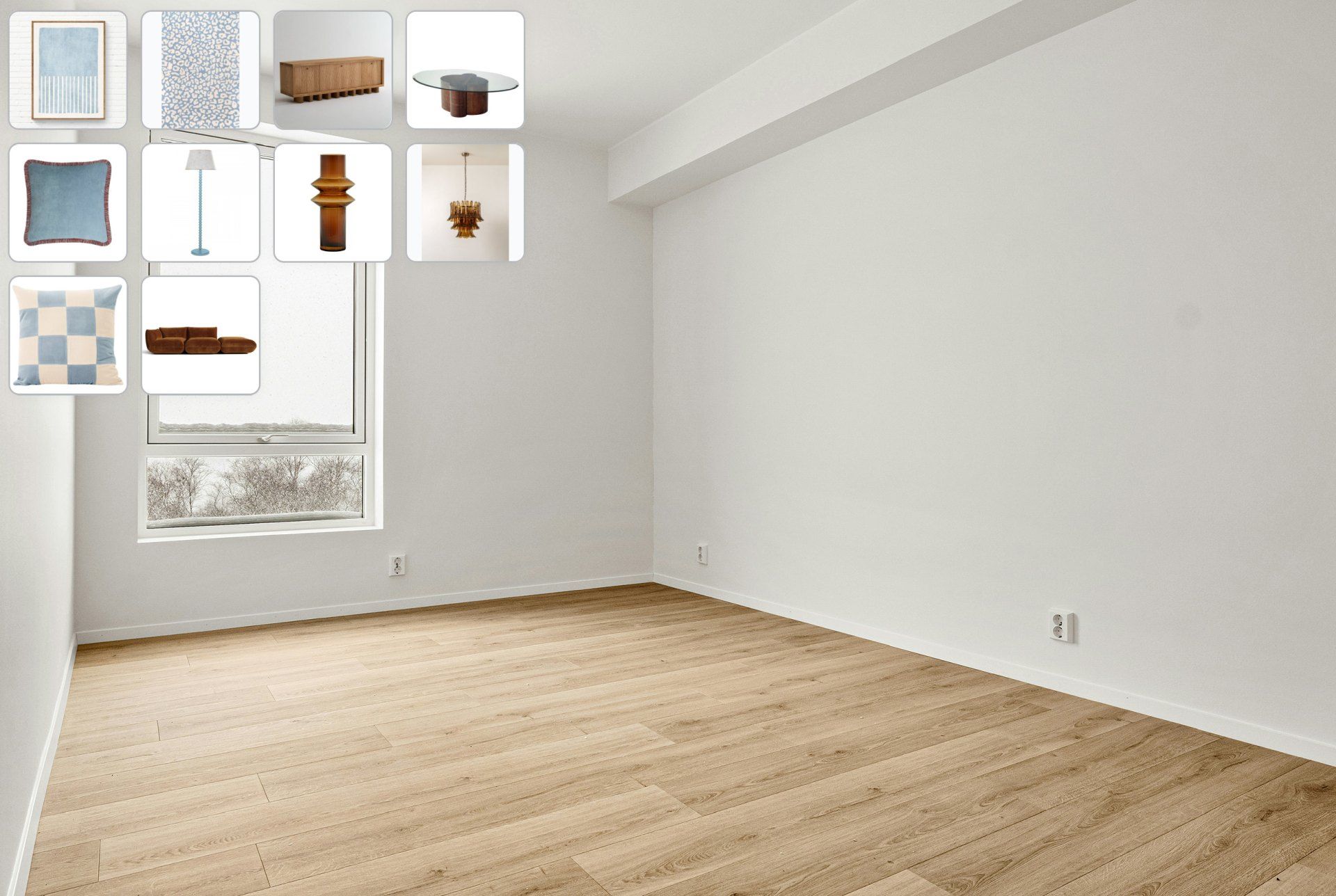 BeforeAfter
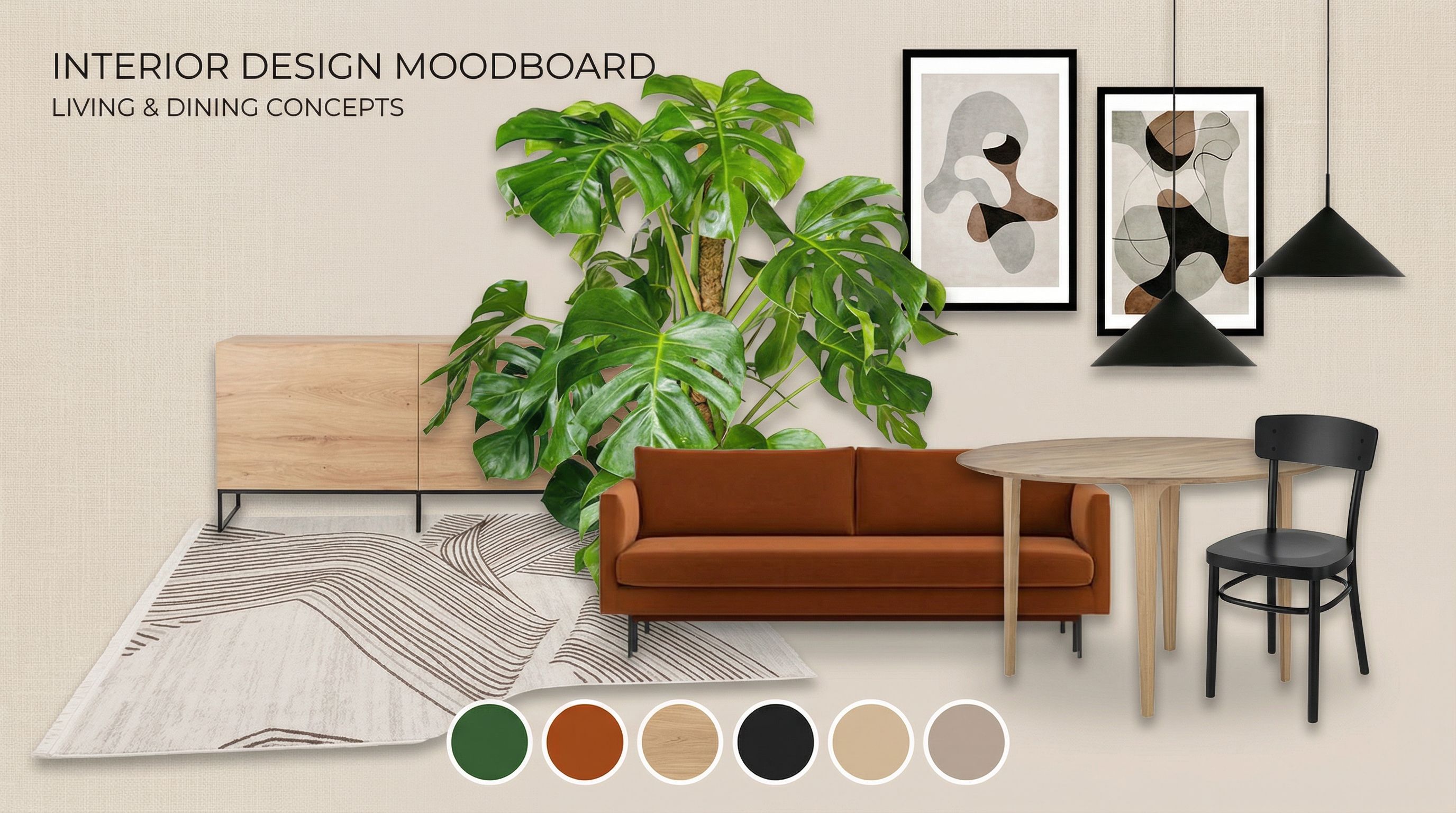
For quickly preparing materials for a first meeting with a client, there are Moodboards - you upload up to 16 reference images and choose a style: classic grid, artistic collage, scrapbook-style album, material samples, color story, or clean & airy. Ready in a matter of seconds.
Generated, static renders can easily be turned into short video animations - 4, 6, 8, or 10 seconds, in 720p or 1080p, in horizontal or vertical framing. Ready-made presets are also available: "furniture reveal," "furniture from a box," or "time-of-day change." The animation starts from the uploaded image as the first frame.
The whole process is streamlined by a dedicated SketchUp plugin. It allows direct synchronization and sending views from the 3D model straight to Raya's engine while preserving the original project geometry - without having to leave the program or manually export files.
Who is Raya for?
Wondering if this tool is for you? Check out the use cases below.
Architects and interior designers gain freedom in preparing color and material variants. When a client can't picture the space from a flat floor plan, you can show them photorealistic proposals within minutes. No more tedious lighting setup, material assignment, and waiting for rendering.
Building architects and developers can present building forms based on simple mockups from BIM programs, as well as impressively arrange the surroundings of a project - greenery, lighting, atmosphere at different times of day.
Real estate agents use Raya for home staging. An empty apartment quickly fills with furniture, which genuinely translates into greater interest in the listing. Because photos of empty units simply convert worse.
Furniture manufacturers and distributors are a separate group for whom the Furniture tool is practically a ready-made alternative to expensive product shoots. A few product photos are enough to get catalog-ready material.
Pricing and credit system
The billing system on the Raya platform is based on credits - a single, shared currency for all tools. The logic is simple: 2 credits for a 2K render, 4 credits for a 4K render. Editing, home staging, 3D models, and moodboards are priced the same way. Only video animations require higher point usage - from 5 credits for a 4-second clip in 720p, up to 19 credits for a 10-second animation in 1080p (ready-made presets cost 2 credits more).
New users receive 20 free credits to start, valid for 14 days - no payment card required. That's enough for a few 4K renders or a dozen or so 2K visualizations. It's plenty of time to check whether the tool fits your workflow.
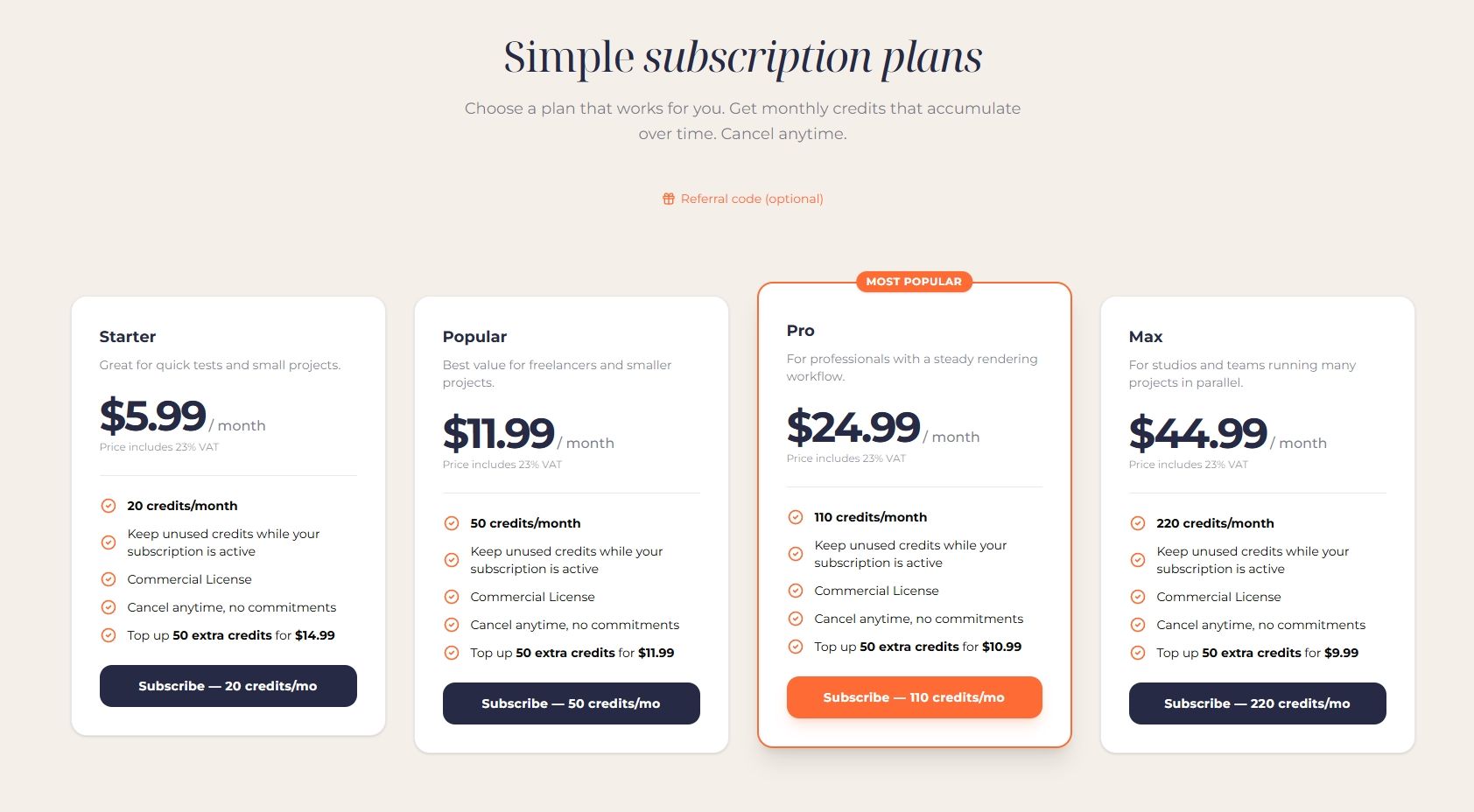
Continued use of the platform is based on a monthly subscription. There are four plans:
Starter - 20 credits per month for 19.90 PLN. Good for occasional tests and small projects.
Popular - 50 credits for 39.90 PLN. The best value for freelancers with regular but not too intensive work.
Pro - 110 credits for 79.90 PLN. Recommended for professionals - assuming 4 credits per 4K render, that's over 27 visualizations per month, plus a buffer for edits and experiments.
Max - 220 credits for 149.90 PLN. For studios and teams handling multiple projects in parallel.
An important thing - credits accumulate. Unused points don't disappear at the end of the month - they stay on your account for as long as your subscription is active. That's a big difference compared to many competing platforms, where unused limits simply vanish.
If a particularly intensive project comes up in a given month, you can top up your account with one-time credit packs - packages of 50, 100, or 200 credits, available directly from the dashboard or the editor. Valid for 12 months from purchase. The price per credit depends on your plan - the higher the plan, the cheaper it gets. Max subscribers pay from 0.68 PLN per credit, Starter from almost a full złoty. If you cancel your subscription, purchased credits aren't lost - they're temporarily locked and return once your account is reactivated.
Referral program
Raya also has a built-in referral program - if you invite someone to the platform and that person registers and purchases their first subscription within 7 days of registration, you both get 30 credits each. Bonus points are valid for 12 months. You can earn rewards for up to 30 referrals per month this way. For the program to work, the referrer must have an active subscription - you'll find the invite link under the "Referrals" tab in your account panel.
Why choose Raya?
What really sets Raya apart from other solutions? A render is ready in under a minute from uploading the material, which genuinely changes the pace of working on initial concepts. In most cases, the algorithm doesn't arbitrarily alter your concept - it preserves the proportions, perspective, and form from the uploaded file, so it can be trusted. It's worth remembering, however, that it's still an AI tool - probabilistic by nature. Not every render will be perfect right away.
The platform has a Polish interface, documentation, and team support, and billing is in PLN (English, Spanish, Italian, and German are also available). The dedicated SketchUp plugin eliminates manual file exporting, and since no installation is required, Raya can be used on any computer, tablet, or even phone - without straining your own hardware.
Two distinguishing features rarely mentioned in conversations about AI tools, but genuinely important with Raya. First - full commercial rights to all generated images, regardless of plan. The visualizations are your property, and you can use them in presentations, marketing materials, and proposals without any restrictions. Second - uploaded materials and finished renders are not used to train AI models - neither Raya's own nor those of third-party providers. Raya uses paid production plans whose license explicitly rules this out. That's an important difference compared to many free AI tools, where your projects may end up in training datasets.
It's also worth mentioning invoices - if you're buying as a company, just check the appropriate option in the cart and enter your details. A VAT invoice is issued automatically after each payment. EU companies with a valid VAT-EU number are billed under reverse charge (0% VAT). All documents can be found in the panel, under the "Payment History" tab.
Frequently asked questions
Do I need a powerful computer? No - all the computational work happens on Raya's servers; a browser and a stable connection are enough.
Do my projects remain confidential? Yes - uploaded materials and visualizations are visible only to you and are not used to train models.
Can I use the generated images commercially? Yes - all visualizations are your property, and you can use them in presentations, marketing materials, and client proposals.
What happens if generation fails? If a render fails to complete due to a technical error - a timeout or model error - the credits are automatically returned to your account, usually within a few seconds.
Can I change plans mid-month? Yes. An upgrade takes effect immediately - the price difference is calculated proportionally, and additional credits are added to your account right away. A downgrade takes effect at the end of the current billing period.
First steps with Raya
Sounds interesting? The best way to see how Raya fits into your studio is to try it out in practice. Just go to raya.design and create a free account - no card required - to get 20 free credits valid for 14 days and full access to all tools. Whether you upload a hand-drawn sketch, a smartphone photo, or a SketchUp model - you can have your first finished render on screen in under five minutes from your first login.
Summary
Raya is a tool that makes sense when speed matters to you - especially at the concept stage, when the client needs to see the idea here and now. The set of features - from generation and editing, through home staging and moodboards, to video animations - makes it possible to handle most presentation work in one place. The credit system is transparent, credits accumulate and don't disappear without warning, and the commercial rights along with the lack of AI training on your projects are things that truly set Raya apart from free alternatives. The start is free and requires no card - it's hard to find a lower barrier to entry.


