
Best AI Visualization Tools in 2026. Comparison and Reviews (Which to Choose?)
Looking for the best AI visualization tool in 2026? While the market is dominated by giants like Gemini and ChatGPT, professional interior designers and architects are much better served by dedicated "no-prompt" platforms like Raya.design, which combine photorealistic quality with an intuitive interface. We tested each of these tools in real design work, and here's what we found.

Contents
How did we choose the best AI visualization programs?
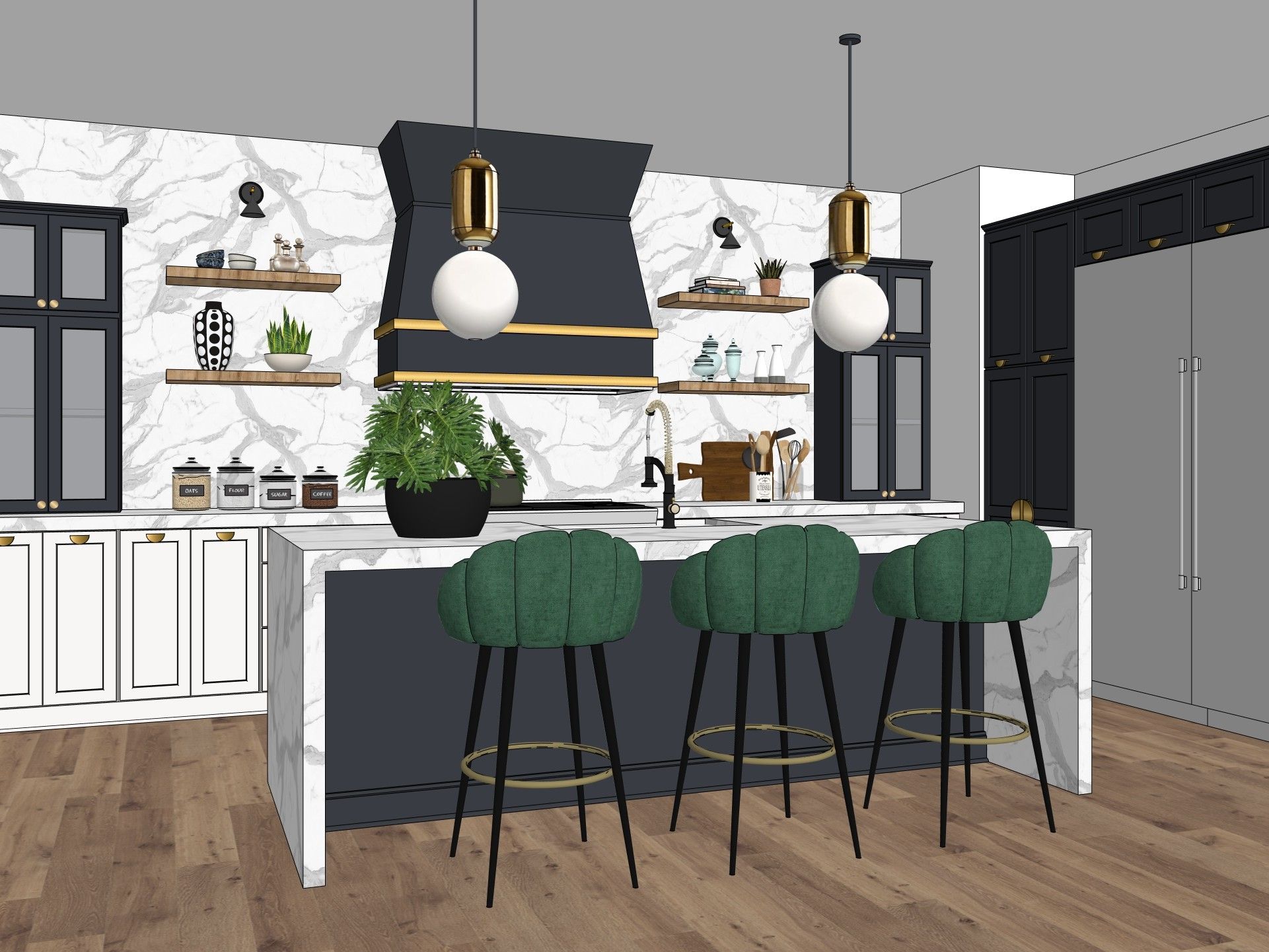
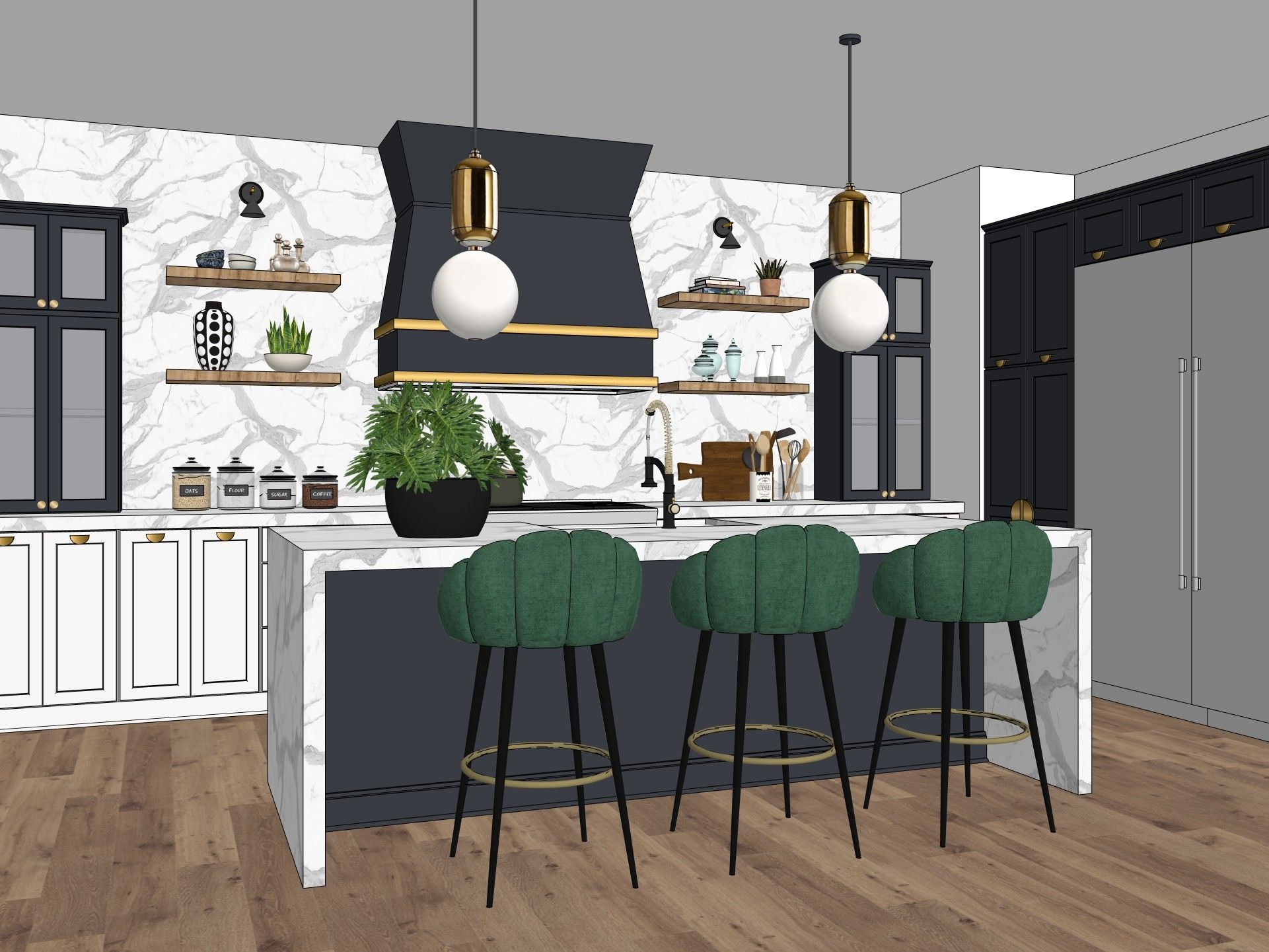
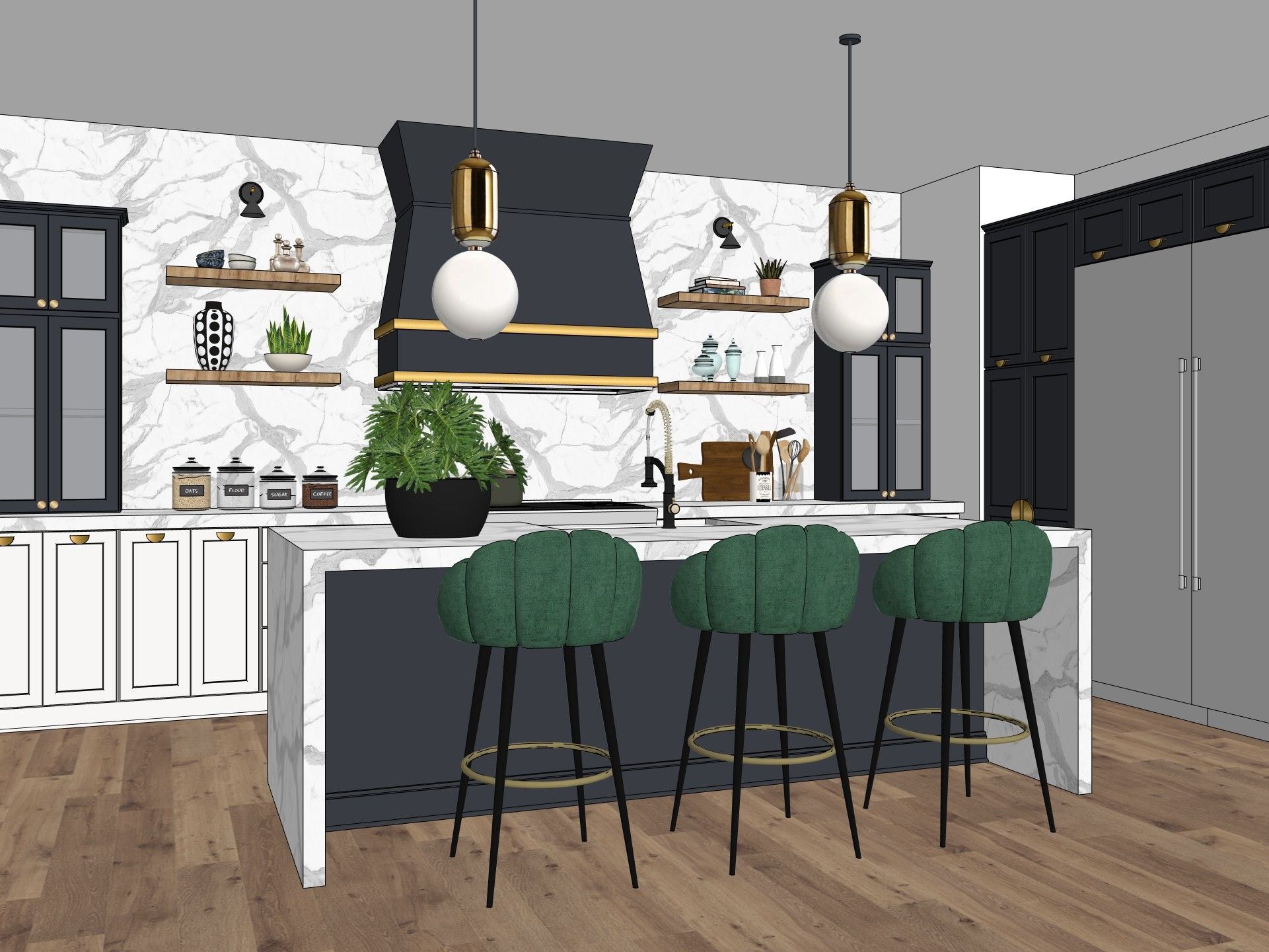
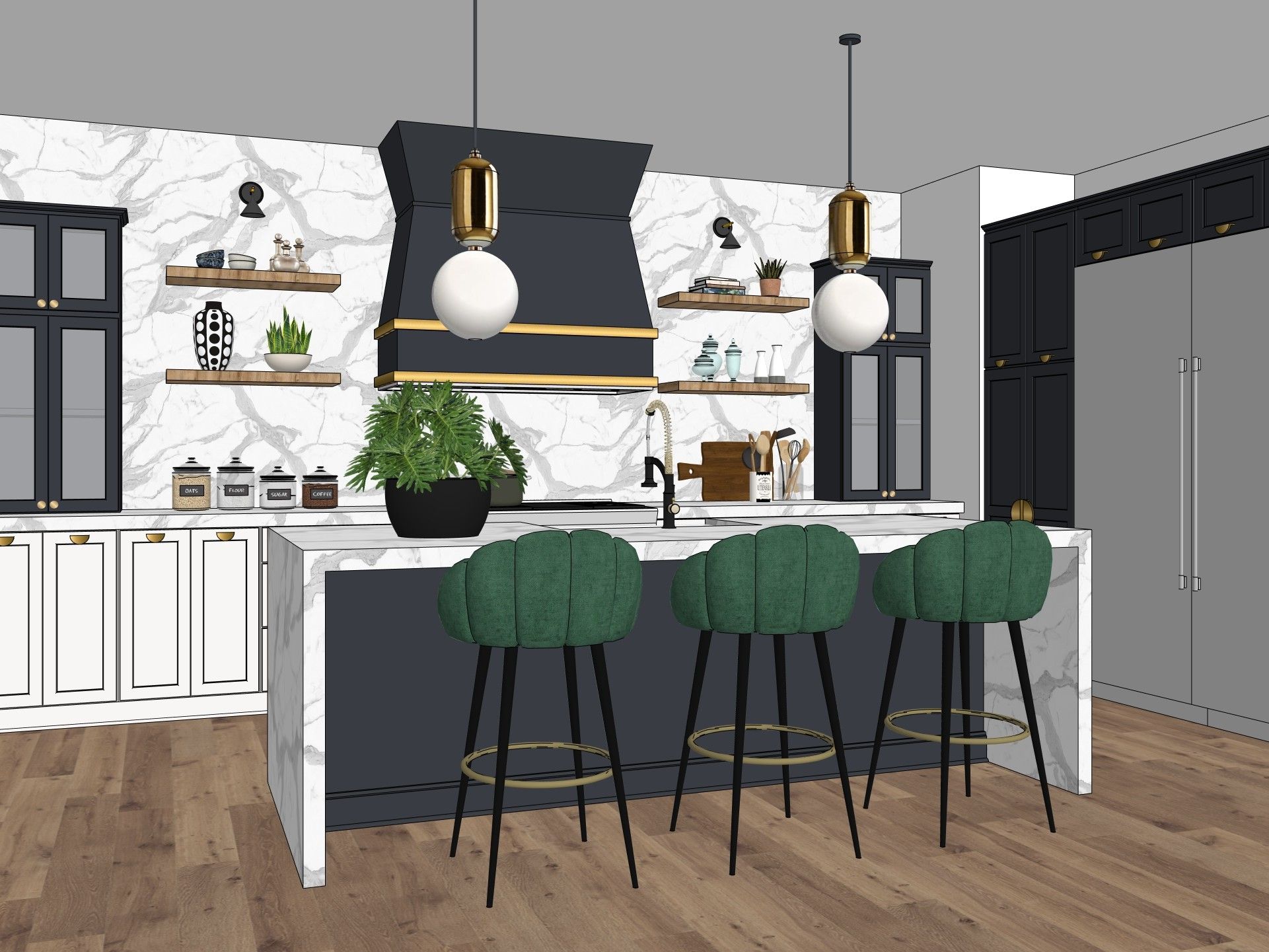
We tested the tools on the same model - a kitchen exported from SketchUp as a viewport view, with no prior editing. This makes the comparison fair: every program got an identical starting point, and any differences in the result come from the AI engine itself, not the quality of the source file. We were guided by five criteria:
Quality and realism - does the tool keep the geometry from the reference, or does it hallucinate proportions with every generation? This is the first thing we check, because without it, none of the other features matter.
Ease of use - prompts in English, or a few clicks? For a designer with five minutes between meetings, every second spent typing a prompt is time wasted.
Integration with 3D software - how easy is it to drop in a viewport from SketchUp, Revit, or ArchiCAD? We also checked whether you need to export the file manually or whether a plugin exists for the program.
Cost transparency - no surprises on the cloud bill. A pay-as-you-go model looks tempting until you calculate the cost of a hundred attempts on a single project.
Polish language support, because a native interface is a real time-saver in daily work. English isn't a problem for anyone in the industry, but mentally translating every button slows down the work.
2026 Market Overview: The Best Online AI Visualization Generators
Below are five tools that can realistically be used in design work - from popular chatbots to a platform built solely with architecture and interiors in mind. We tested each one on the same viewport photo, so the comparison isn't based on manufacturers' marketing materials, but on our own tests.
ChatGPT - Popular, but not for interiors
The most recognizable AI brand, but with a serious flaw for designers: it regularly hallucinates geometry and doesn't accurately reproduce shapes from the reference. The free plan gives you 2–5 generations a day, which runs out with your first client. For inspiration - yes. For design work - a risky choice.
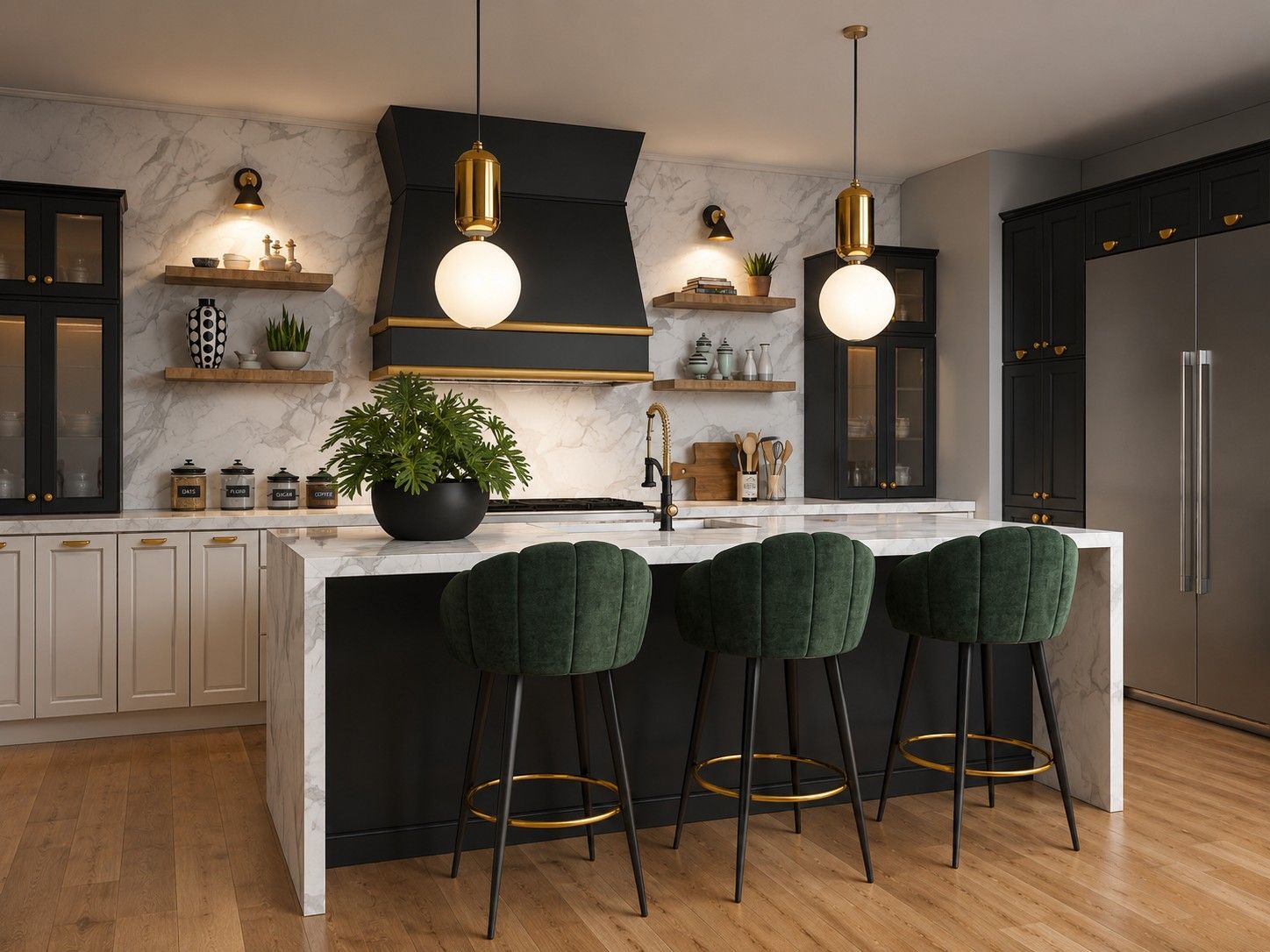
ChatGPT tends to alter the geometry of the original image - and that's its biggest weakness in this comparison. If you care about preserving exactly the same perspective, the same proportions, and the same room layout as in the source viewport, this isn't the best choice. In our test, an additional issue came up - the model added handles to the kitchen cabinets that weren't in the original design. At first glance, it's an almost unnoticeable detail. But every further edit or generation based on the same image will reinforce and deepen such an error, until the visualization increasingly drifts away from what was actually designed.
Free plan | Watermark | Max resolution | No prompts |
|---|---|---|---|
2–5 generations/day | No | 1–2K | No |
 BeforeAfter
Gemini - A better model, but with annoying limitations
A step up in quality compared to ChatGPT, but with three serious drawbacks: a watermark on every plan, even paid ones, a maximum resolution capped at 2K, and a problematic change of image proportions - which can't be fixed in place.
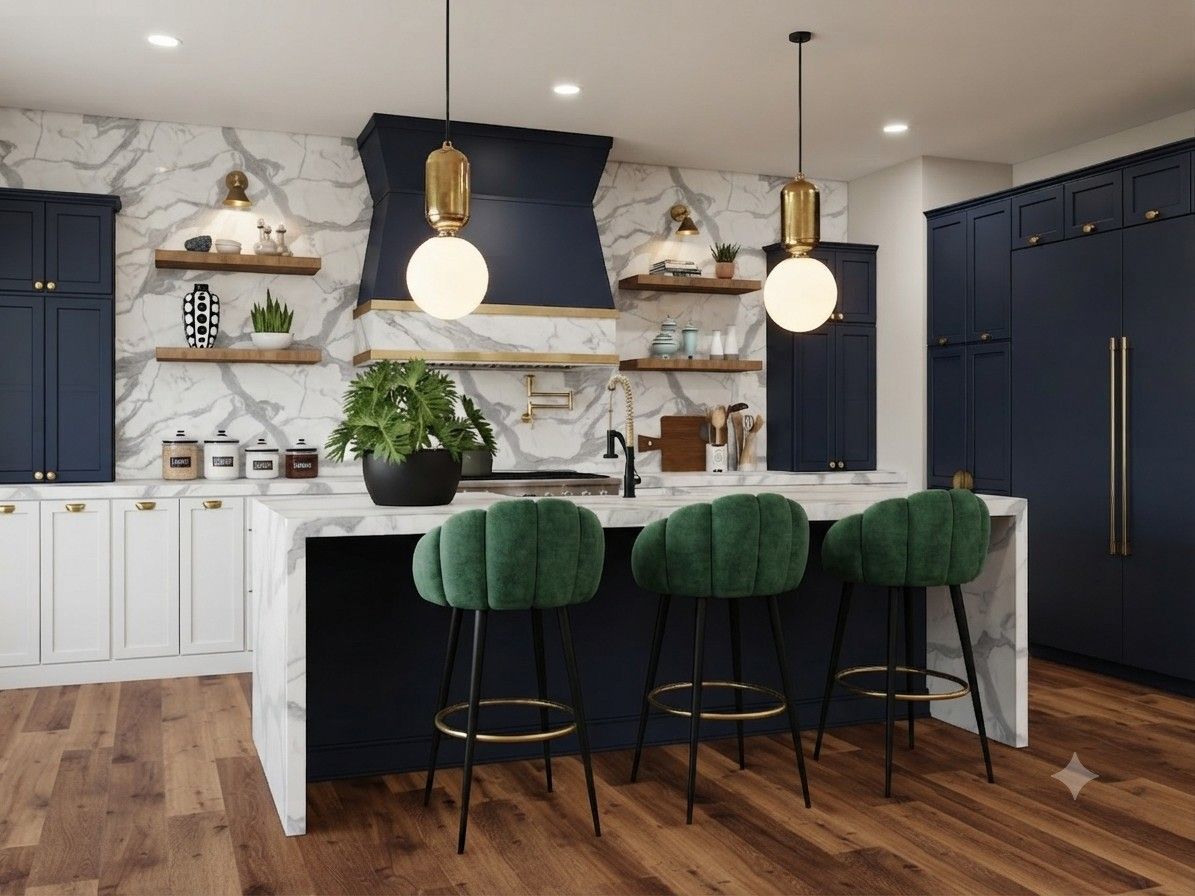
The watermark looks unprofessional for commercial use - it's hard to imagine presentation boards for a client with a Google logo in the corner of every photo. To be fair, on default settings Gemini stuck to the geometry better than ChatGPT. But that doesn't mean the result was flawless - it made a few other, rather specific mistakes instead. Marble appeared on the hood that wasn't part of the design. The fridge changed color to match the kitchen fronts, instead of staying metallic. The glass-fronted cabinets lost their glass panes and turned into solid fronts. An extra kitchen faucet appeared above the cooktop, which simply isn't there. On top of that, three new light fixtures showed up on the ceiling, something like halogen spots that no one designed. At first glance everything looks fine, but after a moment of closer inspection a list of imperfections starts to build up - plus the watermark on top of it.
Free plan | Watermark | Max resolution | No prompts |
|---|---|---|---|
Yes | Yes (always) | 2K | No |
 BeforeAfter
Google Flow - Huge potential, but with catches
A more convenient interface than a chatbot, no watermark, and higher free limits. But native generation is only in 1K - to get 2K, you have to artificially upscale the image, which loses detail and edges. During peak hours, server downtime ("cool-down") is frequent.
Flow was created mainly with video in mind, and generating single images is a bit of a byproduct. You can see it in the interface - some options only make sense if you're planning an animation, not a static render. The cool-down can hit right when you have two hours left before a client meeting, which is the worst possible moment for a "try again later" message.
Free plan | Watermark | Max resolution | No prompts |
|---|---|---|---|
Yes (dynamically) | No | 1K natively | Partially |
Google AI Studio - A powerful engine for advanced users (and developers)
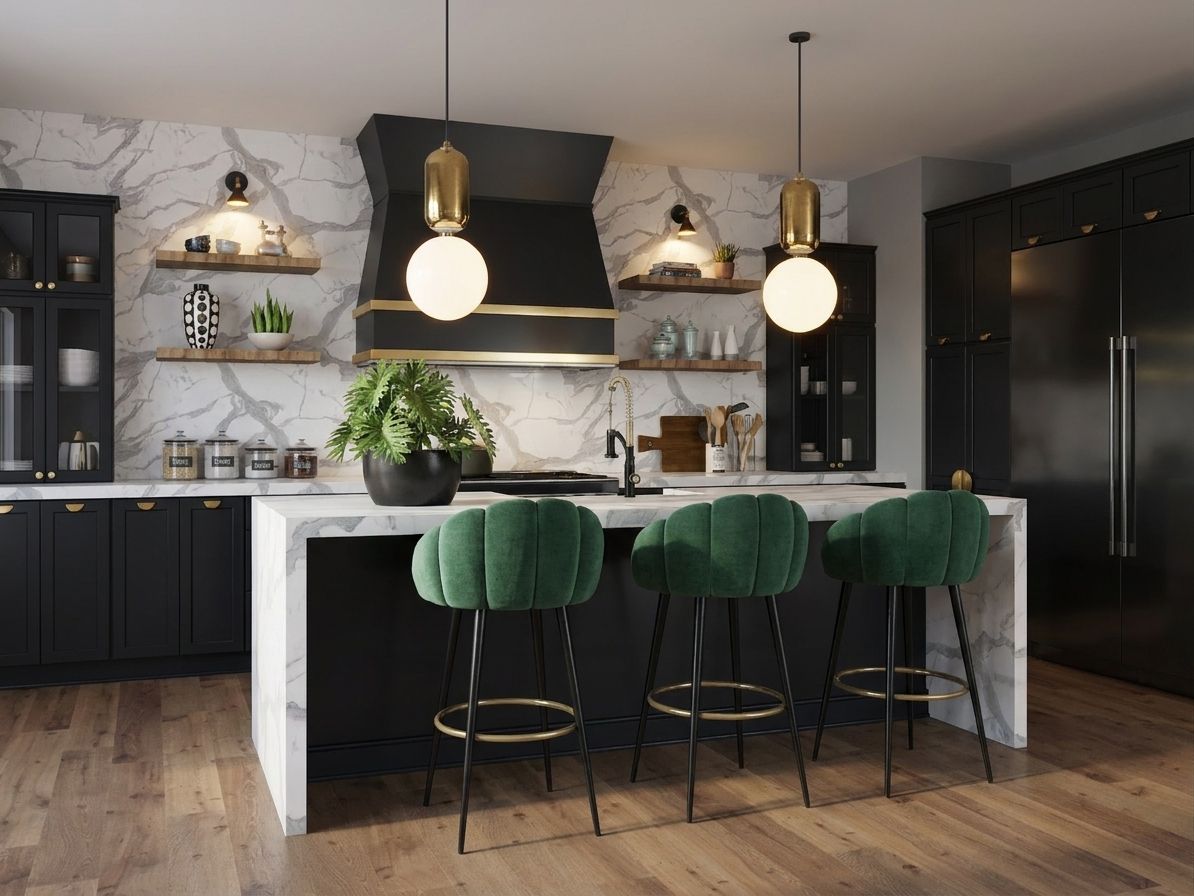
Native 4K generation and no watermark sound great - but the payment system is pay-as-you-go (you pay for each image separately), costs easily get out of control, and a free start without a card practically doesn't exist. The interface is clunky and not designed with designers in mind.
This tool is for someone who'd rather build their own solution than use a ready-made one. Instead of a screen with a project preview, you get a console that resembles a developer panel more than an app for everyday work. If your team has someone who knows their way around APIs and wants to tie image generation into their own project management system - it makes sense. For an architect who just wants to drop in a viewport and get a result, it's too much friction for a single task.
Free plan | Watermark | Max resolution | No prompts |
|---|---|---|---|
Limited (card required) | No | 4K | No |
 BeforeAfter
Raya.design - An AI interface built for designers
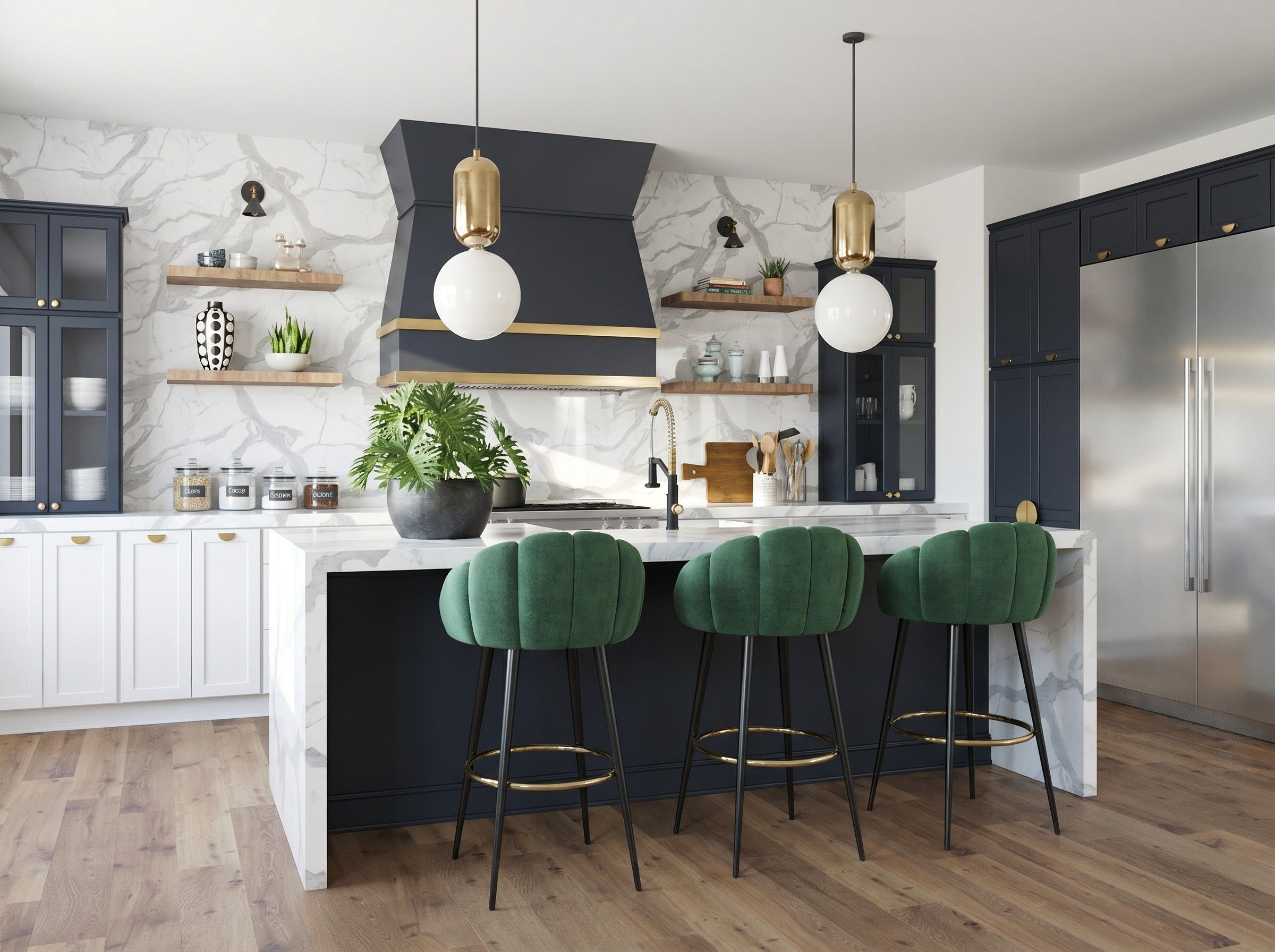
Here the difference is visible at first glance. The geometry stays almost perfectly consistent with the original image - no extra, unnecessary elements appear, nothing disappears, and the materials remain exactly as they were in the design. The lighting looks very natural throughout. Importantly, this whole effect is achieved without typing a single word of a prompt, which genuinely speeds up the work - there's no need to figure out how to describe in words something that's much easier to simply pick from a list of options.
A platform built for designers, by designers - and you can feel it in every feature. Instead of writing prompts, you click: choosing the style, lighting, time of year, and scene type. Raya natively generates visualizations in 2K and 4K without artificial upscaling, which degrades detail.
It's a complete toolkit: generation from a 3D viewport, text-based editing ("change the time of day", "remove the chair"), home staging, furniture photography, moodboards, and video - all within a clear credit system. The interface is available in Polish, English, Spanish, Italian, and German. A SketchUp plugin lets you send views without leaving the program.
Credits work identically across every tool, which makes budget planning simpler. A 2K render costs 2 credits and takes 20-40 seconds, a 4K render costs 4 credits and 1-2 minutes of waiting. Upscaling an existing result to 4K - 4 credits. Video starts at 5 credits for a four-second clip in 720p. There are no hidden fees or separate pricing for each feature - it's a single currency across the whole platform.
Subscription plans start at PLN 19.90 per month for 20 credits, through PLN 39.90 for 50 credits, up to PLN 79.90 for 110 credits - this plan is marked as the most popular among users. Studios and larger teams use the PLN 149.90 plan with a pool of 220 credits. Unused credits don't disappear at the end of the month - they accumulate as long as the subscription remains active. If you need more in a given month, you can buy extra packs of 50, 100, or 200 credits - and the higher the plan, the lower the price per single credit.
You get a full commercial license for every generated image, regardless of the plan you choose. Uploaded files, prompts, and results are not used to train AI models - neither Raya's own nor those of external providers. If a render fails to complete for technical reasons, credits are returned to your account automatically, usually within a few seconds.
Input formats are JPG, PNG, and TIF up to 10 MB, and 3D models can be uploaded up to 50 MB - it works with exports from SketchUp, Revit, Rhino, ArchiCAD, 3ds Max, and Blender. 20 credits to start, no card required - you can try Raya on your own project before committing to anything.
Free plan | Watermark | Max resolution | No prompts |
|---|---|---|---|
20 credits, no card | No | 4K natively | Yes |
 BeforeAfter
Quick comparison table
Tool | Free limit | Watermark | Max resolution | No prompts? |
|---|---|---|---|---|
ChatGPT | 2-5/day | No | 1-2K | No |
Gemini | Yes | Yes (always) | 2K | No |
Google Flow | Yes (dynamically) | No | 1K natively | No |
Google AI Studio | Limited (card) | No | 4K | No |
Raya.design | 20 credits, no card | No | 4K natively | Yes |
Which tool for what? Practical scenarios
The comparison table alone doesn't answer the question of which tool to choose in a specific situation. So let's break it down into scenarios from a designer's everyday work.
Brainstorming before a meeting or quick inspiration - ChatGPT or Gemini will do. You're not after precision, just a few stylistic directions to talk through in five minutes.
Final client presentation, meant for boards or a PDF - here, consistency with the model and resolution without compromises matter. Raya generates native 4K without a watermark, so the image can be used directly in the material, not just shown on a phone screen.
Product catalog or furniture packshots - none of the general-purpose chatbots has a dedicated feature for this. Raya has a separate furniture product photography tool - you upload up to four photos and get a consistent session with background and lighting matched to the catalog.
An empty apartment that needs to be shown furnished before a sale - that's a job for home staging. You upload a photo of the empty room, and the AI picks the furniture and layout, instead of renting real furnishings for a photo shoot.
Limited budget, you want to test first before paying - every tool discussed here has some form of free access, but only Raya gives you a real pool of 20 credits without linking a card, valid for 14 days.
Frequently asked questions from designers about AI visualization
Which AI tool is best for architects and interior designers? Based on our tests - Raya.design. Predictable results, no prompting, a Polish interface, and native 4K generation. ChatGPT and Gemini work well for casual inspiration, but not for work where consistency with the client's model matters.
Will AI tools replace classic 3D rendering (V-Ray, Corona)? No, they won't replace it, but they'll change its place in the process. AI is invaluable at the concept stage - in a few minutes you generate a dozen or so variants to choose from together with the client, instead of waiting hours for a single render.
Are there AI visualization tools available in Polish? Yes - Raya.design offers a full, native interface in Polish.
How much does Raya.design cost, and do you pay for each render separately? No - it's a monthly subscription with a pool of credits, starting at PLN 19.90 for 20 credits. A 2K render costs 2 credits, a 4K render - 4 credits, so you know right away how much is left in the pool, instead of tallying the cost afterward like in pay-as-you-go models.
What happens to credits if I pause or cancel my subscription? Credits from the subscription expire when it ends, but purchased add-on packs don't disappear - they're held on hold and return to your account when the subscription is resumed, within their 12-month validity period.
What files can be uploaded to Raya? Photos and viewport views in JPG, PNG, and TIF formats up to 10 MB, as well as 3D models up to 50 MB - it works with exports from SketchUp, Revit, Rhino, ArchiCAD, 3ds Max, and Blender.
Summary
Traditional generators are great for experimenting, but professional use requires professional tools. ChatGPT hallucinates geometry, Gemini adds a watermark even on the paid plan, Google AI Studio bills opaquely and requires a card from the start. Raya.design stands out because it was designed from the ground up for one group: designers, who drop in a viewport and want a photorealistic, presentation-ready result in a matter of seconds.
If you want to see for yourself - try Raya for free and grab 20 free credits.


